Unity Asset Store Package
Azkar Screen Stats
Unity diagnostics
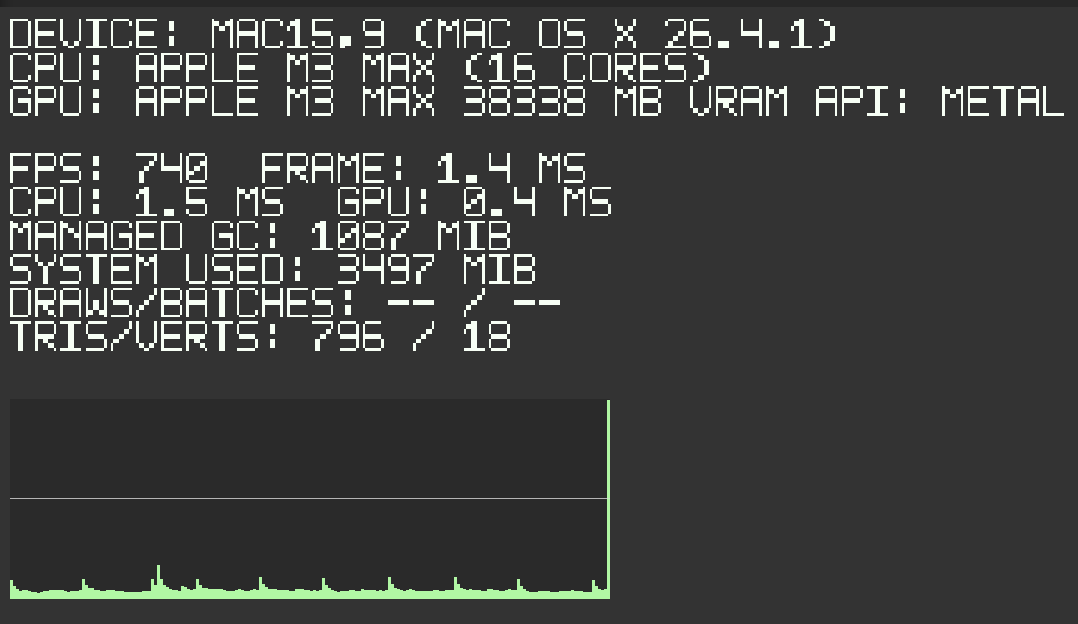
Azkar Screen Stats is a free, compact Unity runtime diagnostics overlay for consistent FPS and frame duration, available CPU/GPU timing, memory and render counters, observed frame-time graphing, and optional budget and custom metrics.
Current docsVersion 1.0.0
Declared Unity floor2021.3.45f2
Store statusComing soon
Purpose
Performance data without building a diagnostics UI.
Add one component to review live timing, profiler counters, frame-budget history, and project-owned numeric values without building a separate diagnostics panel. Unsupported or not-yet-valid measurements stay visibly unavailable instead of being replaced with misleading fallback values.
Runtime shape
A compact overlay designed for active testing.
The overlay renders bounded mesh data through a selected Game camera and leaves input, scene ownership, and release visibility under project control. It requires no TMP, UGUI, Input System package, telemetry, network service, or automatic project-setting changes.
Free package
Focused and fully usable.
Azkar Screen Stats has no commercial feature gate, account, activation, subscription, paid unlock, watermark, time limit, analytics, telemetry, or network requirement. Platform-dependent metrics may still be unavailable; that reflects Unity's data sources, not an edition restriction.
Local data
No runtime service or transmission.
Optional Device Details are read from Unity SystemInfo only after being enabled, cached locally in memory, and displayed locally. The package does not transmit them or write them to disk. Selecting All Builds can expose enabled diagnostics in a release player, so that choice remains project-owned.
Support and license
Documentation and a direct support channel are available.
Unity Asset Store customers use the Unity Asset Store EULA unless a separate license is supplied for another distribution channel.